
Support Ticket is the ONLY ticket management tool that makes it easy for you to manage support tickets smoothly. You and your team can access your clients’ tickets, respond to them, and resolve them - in a few clicks.
Keep track of all your tickets and agents with ease. support ticket centralized dashboard puts all clients tickets, as well as all your agents in one place. This way, it’ll be easy to ensure that queries are being addressed at the right time.
Make it super easy for your clients to create tickets. With TicketGo SaaS, your clients can open tickets in seconds. They also receive instant responses from your agents - so they can rest, assured that help is on the way.
Attend to your customers’ queries in record time, and gain their trust. With TicketGo SaaS, multiple admins from your team can access and manage tickets.
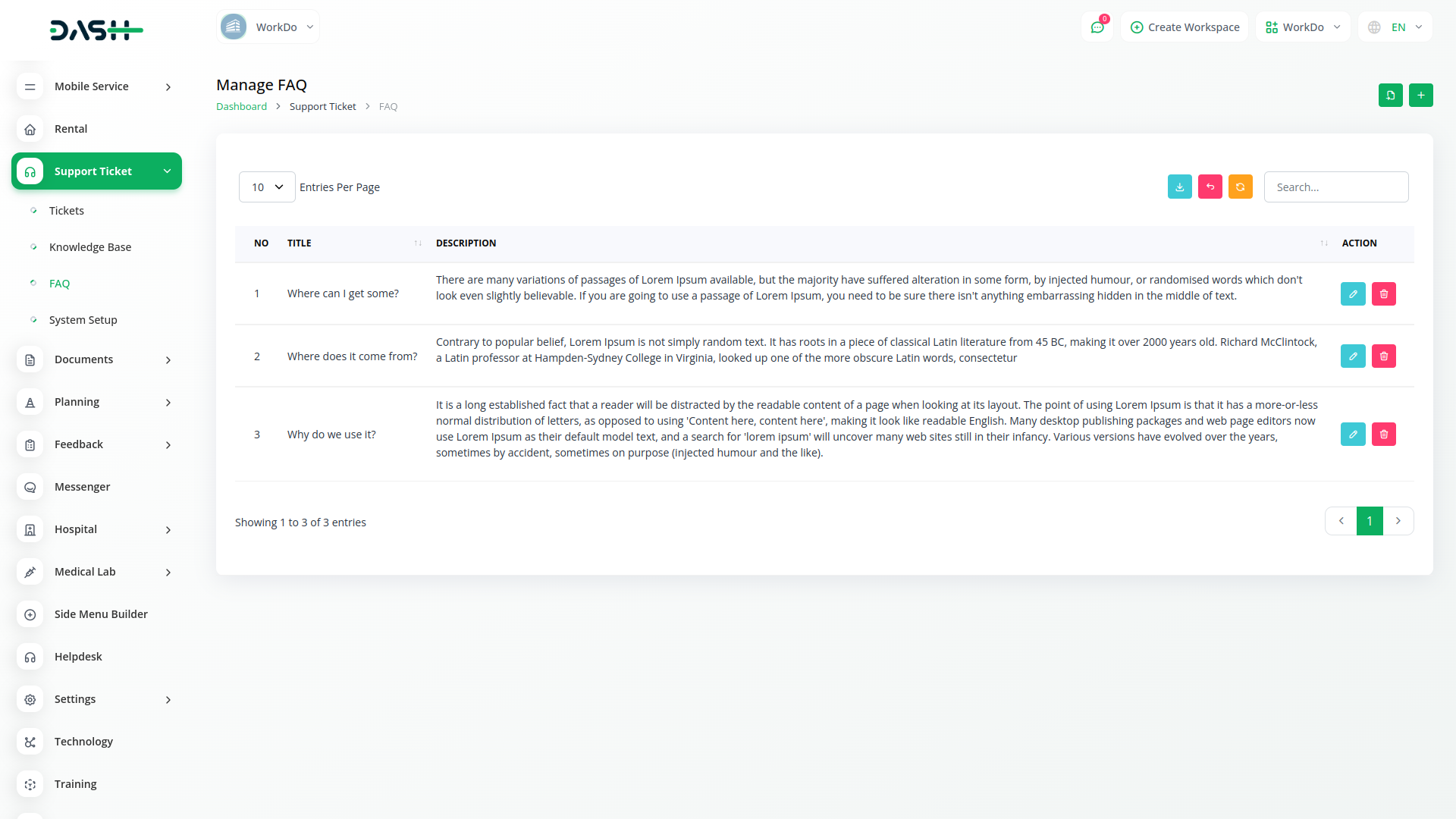
Support Ticket makes creating tickets fun and simple for your clients. Your clients can select their query from a list of FAQs, fill the simplified form, attach files, submit, and receive a unique ticket ID - In a matter of seconds!
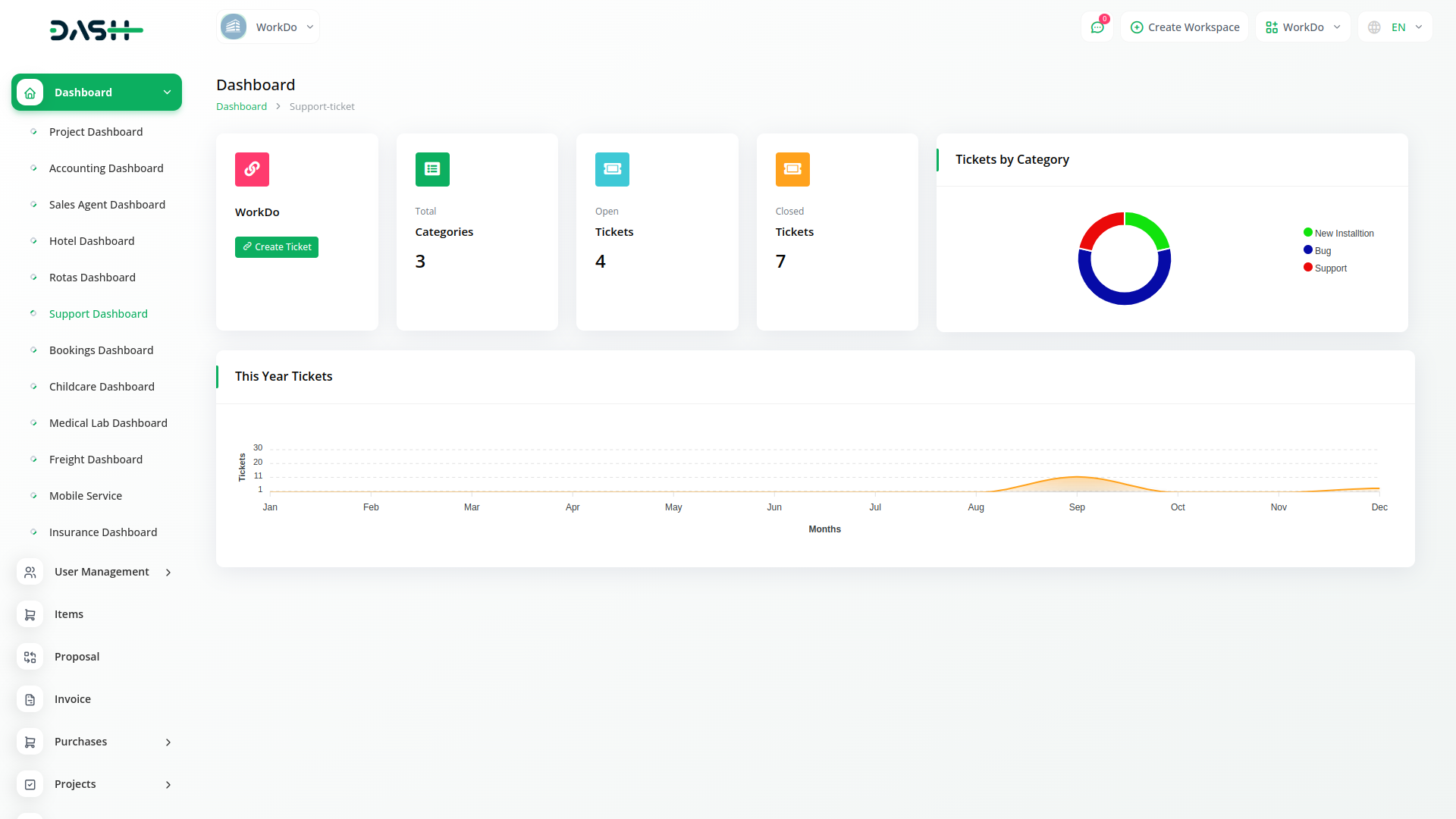
Get easy access to open and closed ticket statistics. A visual presentation of categories and a monthly generated ticket chart are presented.
Manage and control your entire support ticket system without lifting a finger. Create ticket categories, organize tickets, respond to them, and edit their status. Add multiple admins and agents, assign customer requests to them - and do so much more!
View all your tickets and agents at a glance. Access the statistics of all your tickets and agents. View a monthly support ticket chart, get a graphical presentation of all ticket categories, and more! - in just one dashboard.
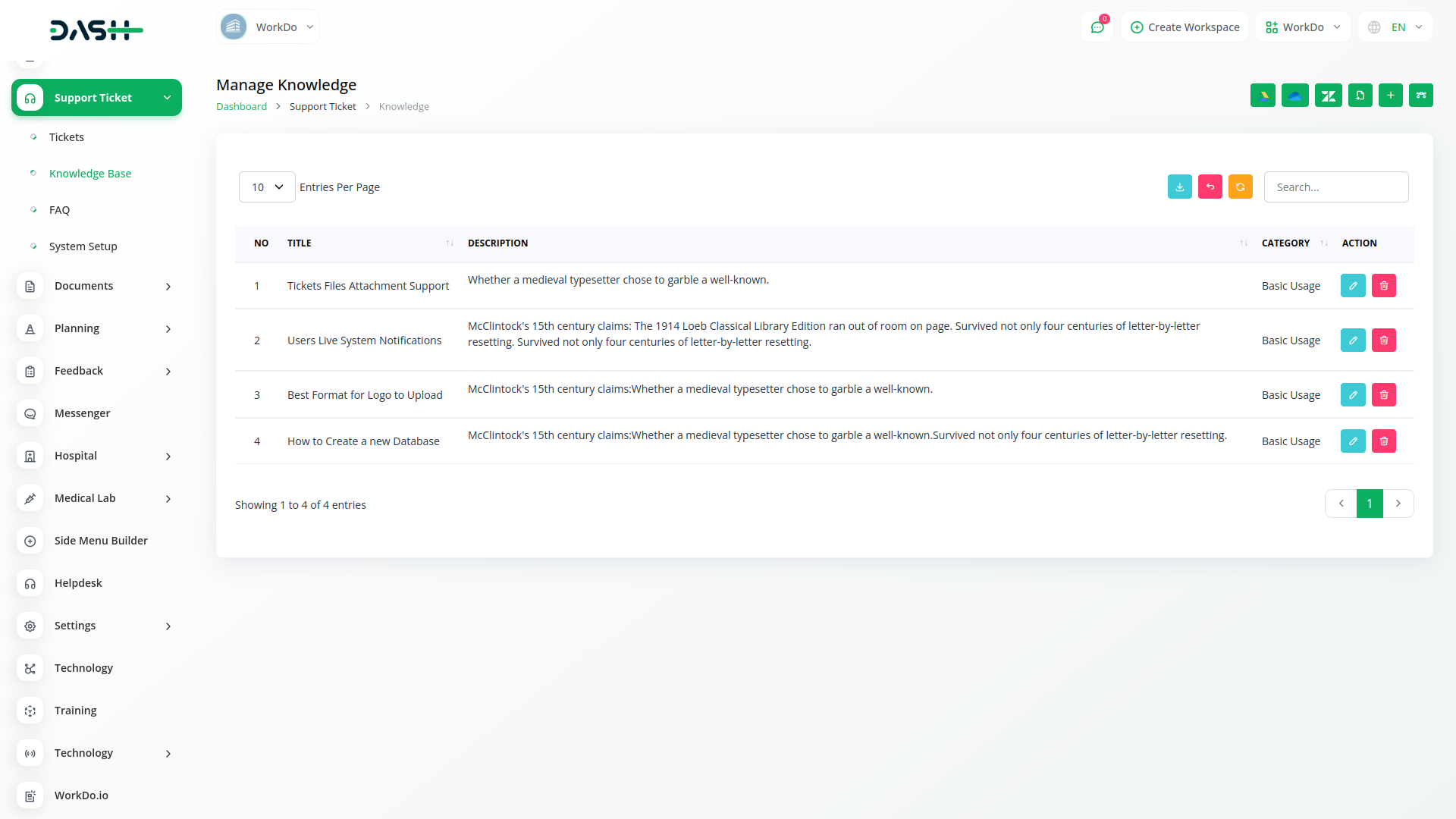
The Frequently Asked Questions are always convenient no matter what. What about the feature which adds more benefit to that? Here, this Knowledge Base Module is helping you with the same. You can update the “Knowledgebase Category” according to your requirements and familiarity, and you can give a thorough description under the particular title.
The custom ticket form has made the process of questioning easy and reliable. Once you submit the ticket, a unique link has been generated for you for further communication which makes the whole process smooth.
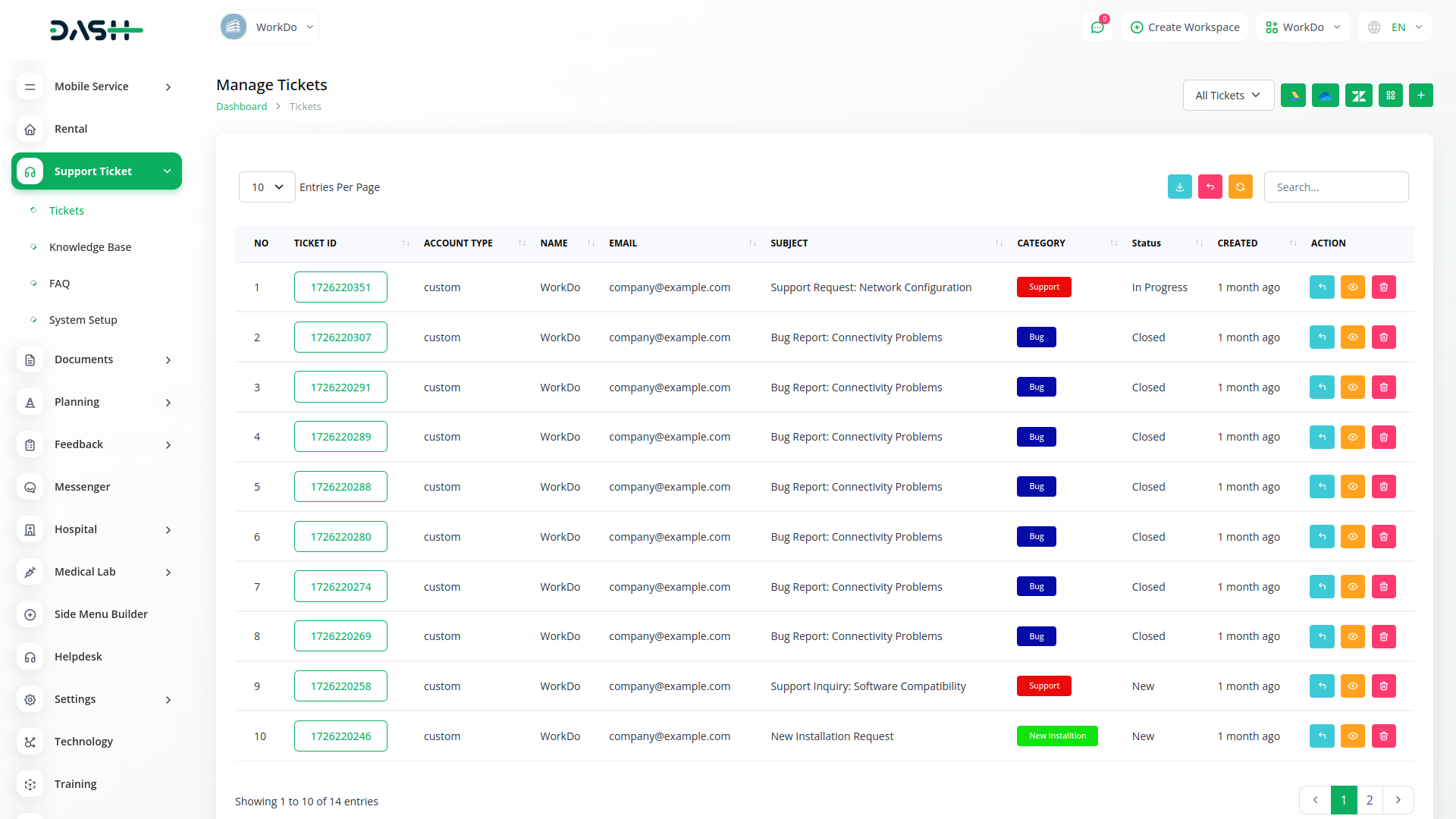
Add new tickets as and when required. Get a detailed list of all the generated tickets with their respective ticket IDs, categories, subject, status, and essential information. Edit them by adding a new response or changing the status with a simple click.
With Smartify ERP, you can conveniently manage all your business functions from a single location.
Access over Premium Add-ons for Accounting, HR, Payments, Leads, Communication, Management, and more, all in one place!
Find answers to common questions about our Support Ticket module.
Our Support Ticket system allows clients to submit requests through multiple channels (email, web form, portal), which are then organized, prioritized, assigned to the appropriate staff, tracked through resolution, and analyzed for continuous improvement.
Yes, the system allows you to define custom ticket categories, subcategories, priority levels, and SLA policies to align with your specific support processes and business requirements.
Absolutely. You can configure automatic responses, ticket routing rules, escalation workflows, SLA notifications, and process automation to streamline support operations and ensure consistent service delivery.
The Support Ticket module provides comprehensive analytics including response times, resolution rates, SLA compliance, agent performance metrics, customer satisfaction scores, and trend analysis to optimize your support operations.
Yes, customers can access a self-service portal to view their ticket history, check current status, add comments or attachments, receive updates, and provide feedback on resolved issues.
The Support Ticket module integrates seamlessly with CRM (for customer context), Project Management (for issue resolution), Knowledge Base (for solutions), and Sales (for opportunity identification), creating a unified customer service experience.
With Smartify ERP, you can conveniently manage all your business functions from a single location.