

Teams and organizations that manage their projects with our task management platform
.svg.png)


Smartify Project Management provides a powerful yet intuitive platform to manage all aspects of your projects. From initial planning and resource allocation to execution tracking and final reporting, our solution gives you full visibility and control. With customizable workflows, task dependencies, and milestone tracking, you can adapt the system to match your unique project methodology while maintaining consistency across your organization.
Associate costs and summary with milestones and change the status via the drop-down menu. Get a tab on recent activities of a project along with a graph on the progress. Along with this, you can check the details of your tasks under the project details using the Gantt chart.
Easily assign tasks, projects, and milestones to team members. Chat with your team in real-time, exchange files, and brainstorm ideas. Invite clients to discuss projects and deliver results.
Do you have a large team or are you working on multiple projects at once? Manage task priorities or create additional workspaces and use the built-in permission system to separate major projects. Improve your team’s efficiency by helping them avoid confusion and always knowing what to focus on.
Whether you need a simple tool to track your tasks, are a Kanban fan, want to create Gantt charts, or are looking for a handy tool to track your projects, Taskly has you covered.
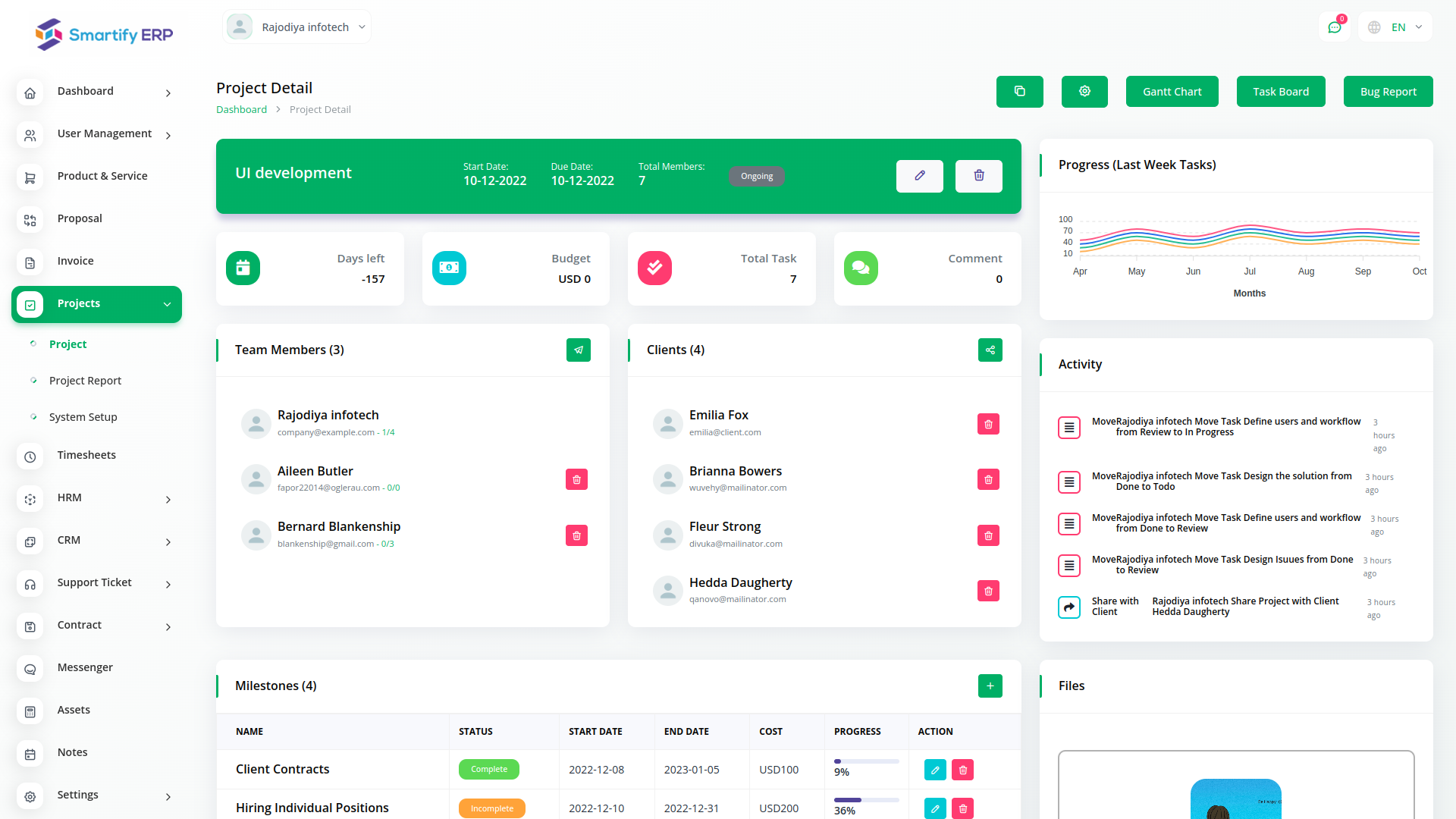
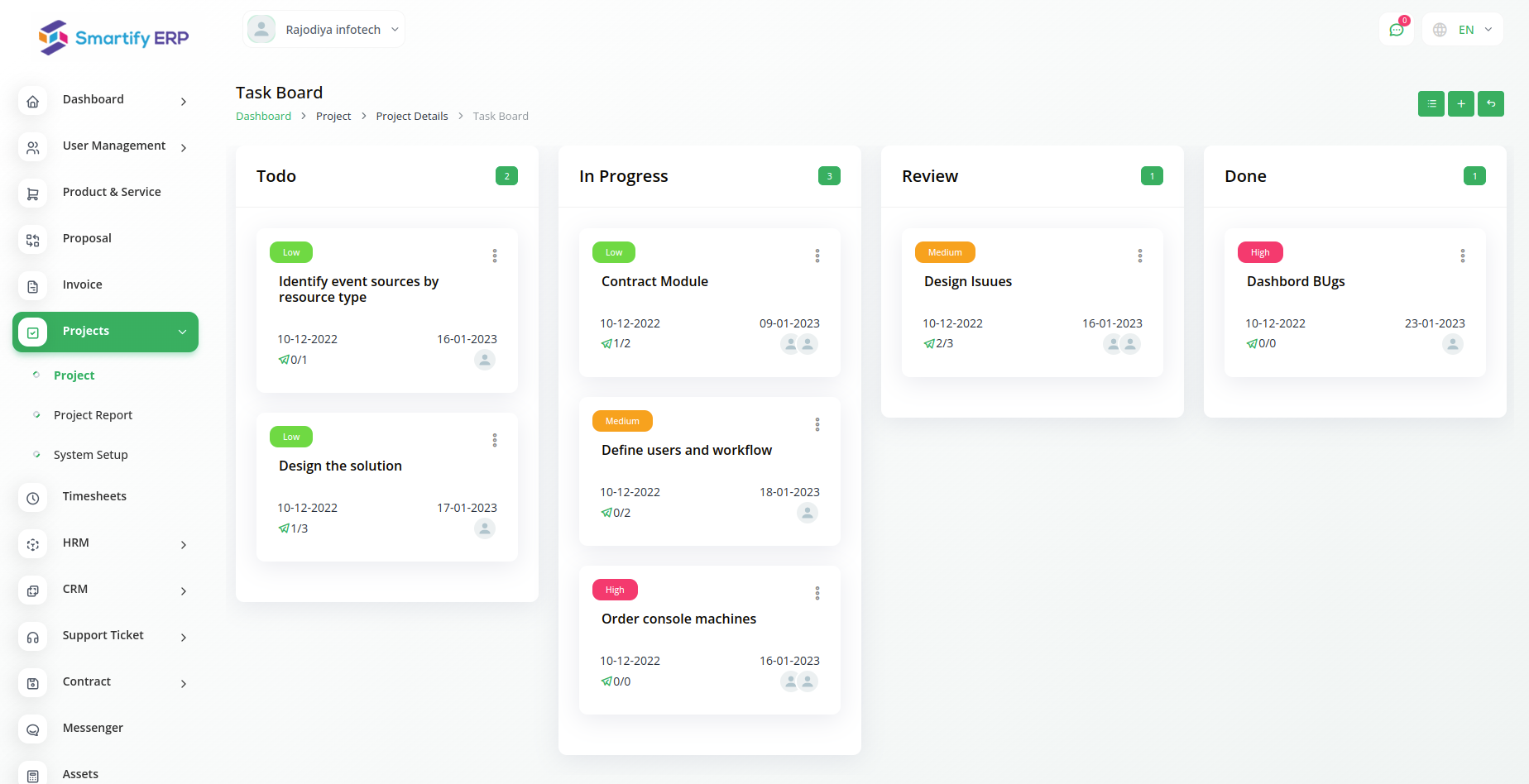
Add a new task to an existing project and prioritize them based on their urgency. Assign the task to team members and set a due date for the task to be completed. Add comments to the task and create a subtask to make it easier to complete. Attach necessary files to a mandatory task.
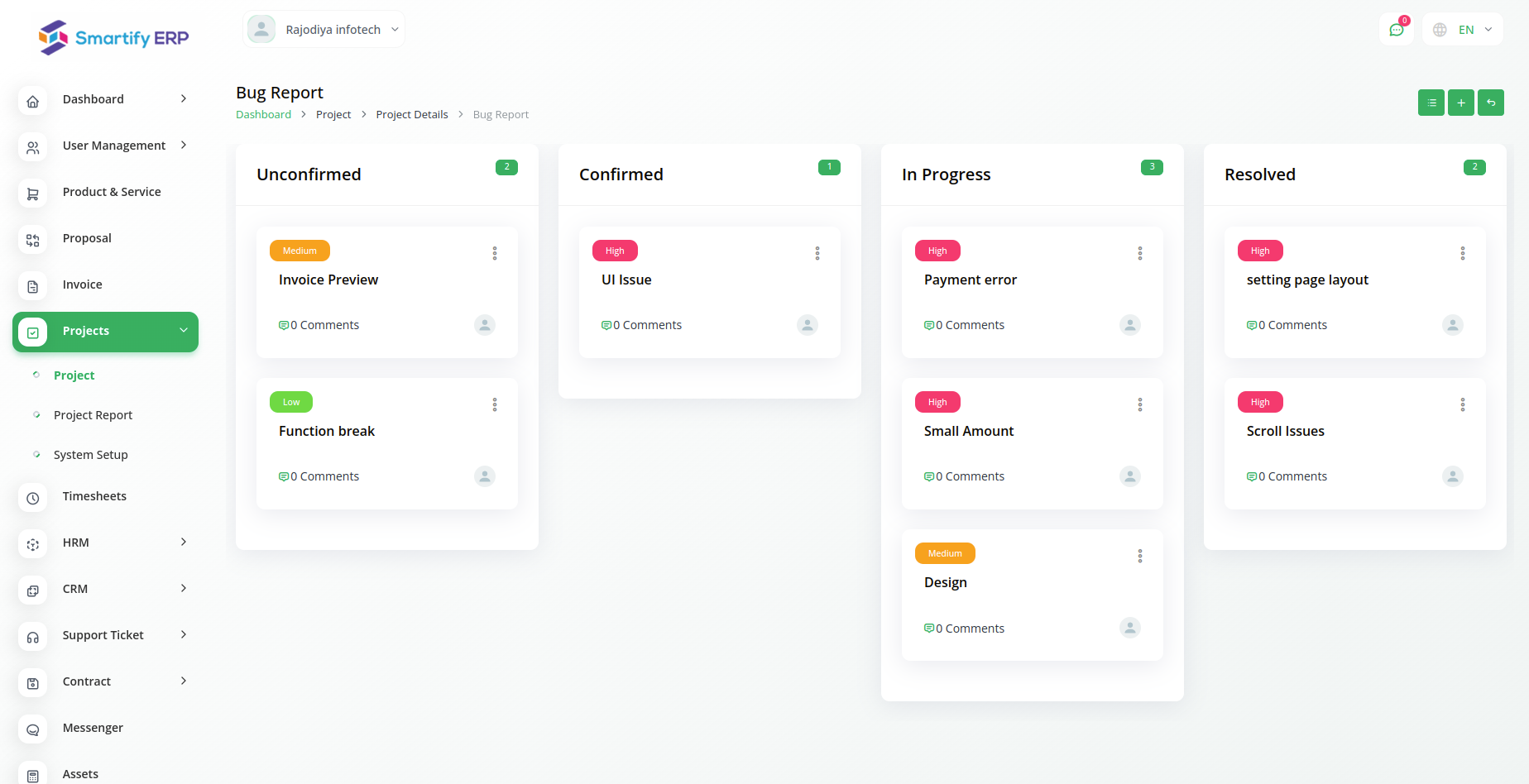
Create new bugs and assign them users and a priority. You can write a note in the text box for the bug description. Additionally, the status of each bug can be changed via a simple Kanban drop-down and drag-and-drop system. users and a priority for them. You can write a note in the text box for the bug description. Additionally, the status of each bug can be changed via a simple Kanban drop-down and drag-and-drop system.
Go beyond short-term project management. Use project milestones to help you define and track progress toward long-term goals.
Kanba LayoutGet a better overview of all your projects, tasks and assigned team members. Boost your team's productivity.n
Prioritize tasks to ensure you and your team members are always focused on the most important task in the pipeline. Leave relevant comments, ask questions, and get answers directly on the task or project.

Manage your clients’ information, collaborate with them, discuss projects, and help them track your progress. Make it easy for them to pay you for your work.
Smartify ERP centralizes all your project operations—from planning to invoicing. Combine project tracking with CRM, accounting, or HR for seamless collaboration. With cloud access, Smartify Insight AI, and full bilingual support, your team works better, faster, and smarter—wherever they are.
Access over Premium Add-ons for Accounting, HR, Payments, Leads, Communication, Management, and more, all in one place!
Find answers to common questions about our Project Management module.
Smartify Project is flexible enough to support various methodologies including Agile, Scrum, Kanban, Waterfall, or hybrid approaches, allowing you to choose the workflow that best suits each project.
Our integrated time tracking allows team members to log hours directly against tasks and projects, with options for manual entry or timer functionality, detailed reporting, and automatic integration with billing and payroll.
Yes, Smartify Project includes a client portal where you can securely share project updates, files, and milestone completions with clients while controlling exactly what information they can access.
Absolutely. You can assign team members to projects based on skills, availability, and workload, with visual dashboards showing resource utilization and capacity planning features to prevent bottlenecks.
Yes, Smartify Project includes comprehensive budget management with planned vs. actual cost tracking, expense monitoring, profitability analysis, and financial alerts to keep projects within budget constraints.
Our system allows you to create task dependencies (finish-to-start, start-to-start, etc.), visualize critical paths on Gantt charts, automatically adjust schedules when changes occur, and ensure proper task sequencing throughout project execution.
With Smartify ERP, you can conveniently manage all your business functions from a single location.